






Freelance Shopify Developer: Complete Guide to Shopify Website Development
If you’re looking for a freelance Shopify developer, you probably don’t just need someone who can change a color, install an app or edit a theme.
You need someone who understands how the different parts of a Shopify store work together — from the homepage and product page to collections, navigation, cart, checkout, custom data, apps, SEO, performance and conversion.
I’m Hemant, a freelance Shopify developer in Delhi, and I work with businesses that want to build, customize, redesign and improve Shopify stores without unnecessary agency layers.
Shopify provides a powerful foundation for eCommerce, but the quality of the final store depends heavily on how its themes, content structure, functionality and customer experience are implemented.
This guide explains the important parts of a Shopify website, what each feature does, why it matters to your business, and where a Shopify developer can add value.
Service Guarantees & Key Highlights
Custom Shopify Store Development
Build a custom Shopify store tailored to your products, brand identity, customer journey and eCommerce requirements. If Shopify is the right fit for your business, my freelance Shopify development service covers custom storefronts, theme work, integrations and performance improvements.
Shopify Theme Customization
Customize your Shopify theme with improved layouts, branded components and functionality designed around your store.
Shopify Liquid Development
Develop custom Shopify Liquid templates, sections and components for functionality beyond standard theme settings.
Shopify 2.0 Development
Build flexible Shopify Online Store 2.0 experiences using sections, templates and dynamic content for easier store management.
Shopify Store Redesign
Modernize an outdated Shopify store with improved visual design, navigation, mobile experience and conversion-focused UX.
Custom Sections & Blocks
Create reusable Shopify sections and blocks that give your team greater control over homepage, landing pages and product content.
Shopify Metafields & Metaobjects
Use Shopify metafields and metaobjects to create structured, dynamic product, collection and brand content.
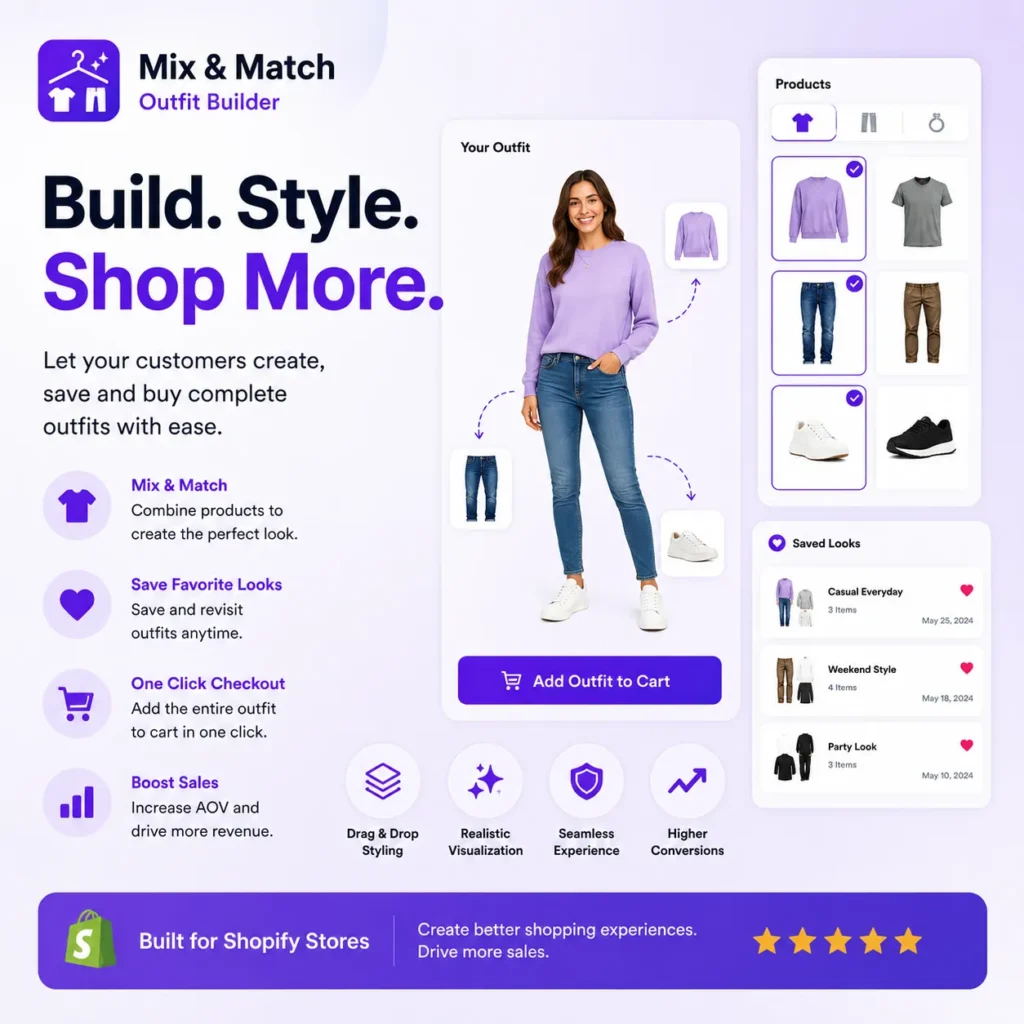
Product Page Optimization
Improve Shopify product pages with better product information, media, variants, trust elements and conversion-focused layouts.
Collection & Navigation Optimization
Improve collections, menus, filters and product discovery so customers can find relevant products faster.
Shopify App & API Integrations
Connect Shopify with apps, external platforms and APIs to automate workflows and extend your store's functionality.
Custom Shopify Functionality
Develop custom Shopify features when existing themes or apps cannot provide the exact functionality your business needs.
Mobile-First Responsive Design
Create responsive Shopify storefronts that deliver a consistent and easy shopping experience across mobile, tablet and desktop.
Shopify SEO Optimization
Improve Shopify technical SEO, site structure, metadata, internal linking and product visibility for organic search.
Store Speed & Performance Optimization
Improve Shopify store performance by optimizing theme code, images, scripts and third-party app impact.
Conversion-Focused eCommerce UX
Improve the shopping journey through better product discovery, page layouts, trust signals and friction-free customer experiences.
Shopify Migration & Setup
Move your eCommerce business to Shopify with structured store setup, product migration and essential configuration.
Shopify Maintenance & Technical Support
Keep your Shopify store reliable with ongoing updates, troubleshooting, improvements and technical development support.
What Is a Freelance Shopify Developer?
A freelance Shopify developer is an independent developer who works directly with businesses to build, customize, maintain or improve Shopify stores.
Unlike simply setting up a Shopify account and choosing a theme, development work can involve:
- Shopify theme development
- Theme customization
- Liquid development
- Custom sections
- Product and collection templates
- Metafields and metaobjects
- Custom product experiences
- App integrations
- API integrations
- Cart and checkout customization
- Responsive design
- Performance optimization
- Shopify SEO
- Store redesign
- Platform migration
- Ongoing Shopify maintenance
The biggest advantage of working directly with a freelancer is communication.
You can explain the business problem directly to the person who is designing and developing the solution.
For a small or growing brand, that can mean fewer communication layers, faster decisions and a more focused development process.
Shopify Freelancer vs Freelance Shopify Developer
The terms Shopify freelancer and freelance Shopify developer are often used interchangeably.
There is no major technical difference.
However, “freelance Shopify developer” communicates something important to a potential client: you’re looking for someone who understands both Shopify and development, rather than someone who only provides basic store setup.
A Shopify developer can work with the technical side of your store, including Liquid, HTML, CSS, JavaScript, theme architecture, APIs, custom data and integrations.
That’s particularly useful when your requirements go beyond what can be achieved through the standard Shopify theme editor.
What Can a Shopify Developer Build?
A Shopify store is much more than a homepage and product grid.
A properly planned Shopify website can include:
- Homepage
- Product pages
- Collection pages
- Search
- Product filters
- Navigation
- Cart
- Checkout
- Customer accounts
- Custom landing pages
- Blog
- Content pages
- Promotional sections
- Product recommendations
- Reviews
- Custom product information
- Custom data
- App integrations
- Analytics
- SEO structure
- Multi-market experiences
Shopify’s Online Store architecture is built around themes, templates, sections and blocks, allowing merchants to customize many parts of the storefront through the theme editor.
The important question isn’t simply:
“Can Shopify do this?”
The better question is:
“How should Shopify be configured and developed for this particular business?”
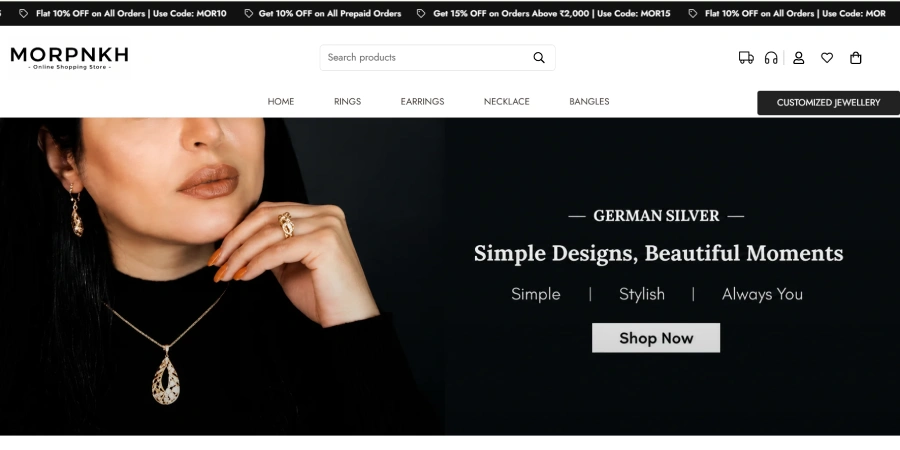
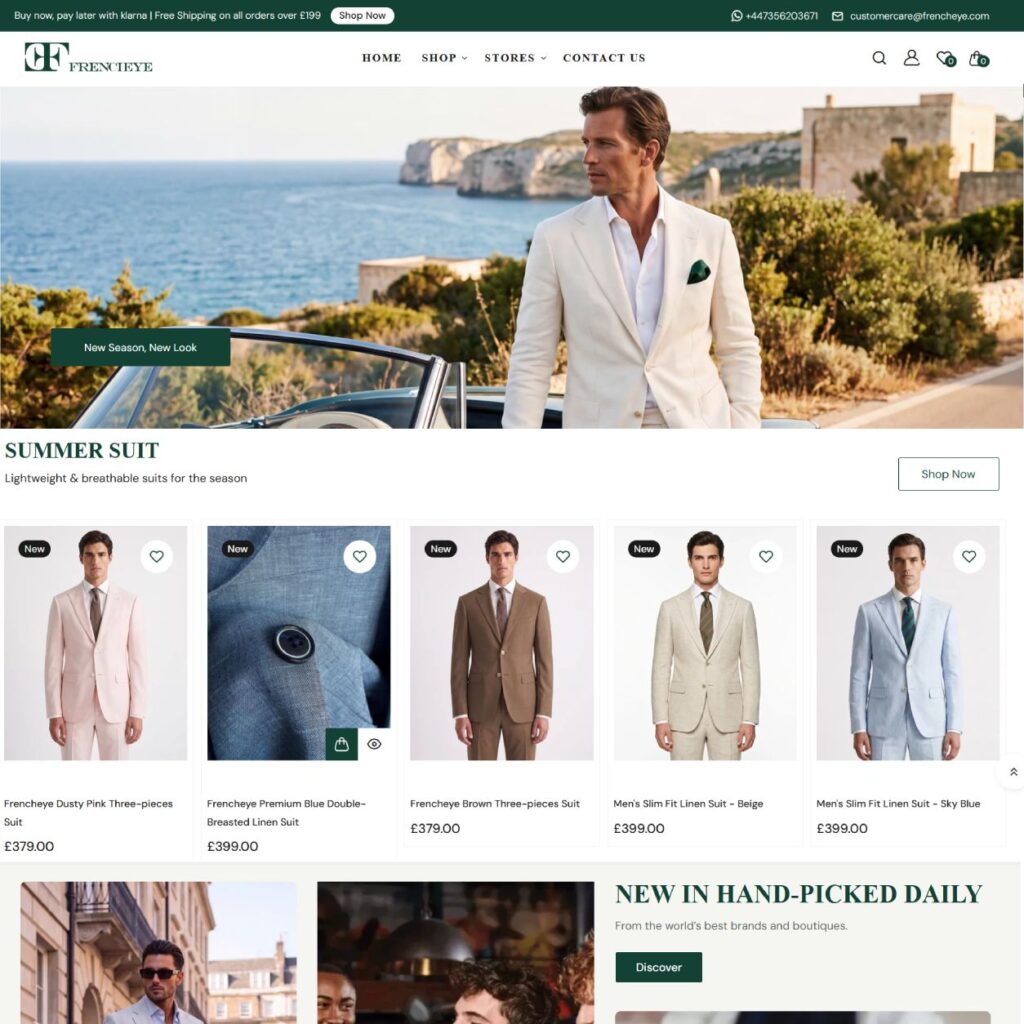
1. Shopify Homepage
Your homepage is often the first major interaction a visitor has with your brand.
A good Shopify homepage should quickly answer:
What do you sell?
Why should I trust you?
Why should I buy from you?
Where should I go next?
A homepage can include:
- Announcement bar
- Header
- Navigation
- Hero banner
- Featured products
- Collections
- Brand story
- Benefits
- Reviews
- Product recommendations
- Promotional banners
- FAQs
- Newsletter signup
- Trust signals
- Footer
Why does the homepage matter?
A beautiful homepage is not enough.
It should guide visitors toward the next useful action.
For example:
Discover → Explore → Product → Cart → Checkout
A Shopify developer can build reusable sections and flexible content blocks so the merchant can update the homepage without repeatedly changing the code.
Shopify’s section and block architecture is specifically designed to make storefront layouts modular and customizable.
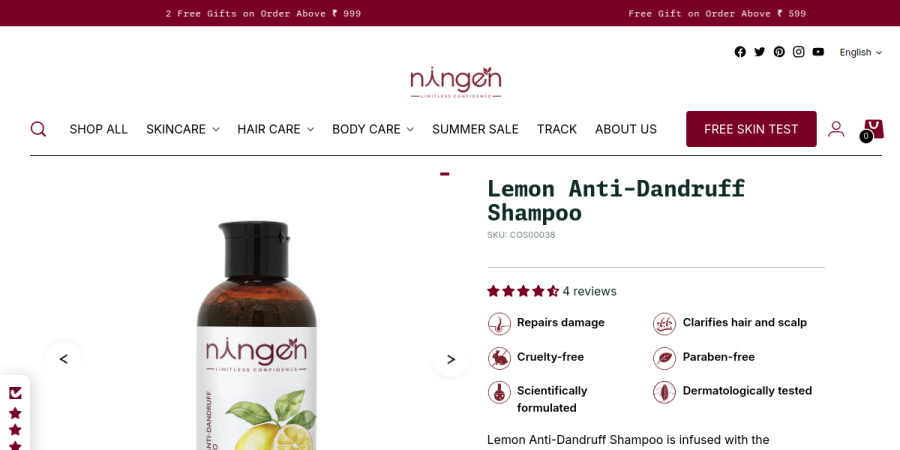
2. Shopify Product Page
The product page is one of the most important pages in an eCommerce store.
This is where visitors decide whether they trust the product enough to buy it.
A product page can include:
- Product title
- Product images
- Video
- Price
- Compare-at price
- Variants
- Quantity
- Add to cart
- Buy now
- Product description
- Product information
- Reviews
- Shipping information
- Size guide
- Ingredients
- Specifications
- FAQs
- Related products
- Frequently bought together
- Trust badges
Why is product page customization important?
Different products require different information.
A jewellery store might need:
Material → Weight → Dimensions → Care instructions → Delivery
A clothing brand might need:
Size → Fit → Fabric → Care → Model information
A skincare brand might need:
Ingredients → Skin type → How to use → Benefits → Certifications
This is where Shopify’s custom data capabilities become valuable.
3. Shopify Metafields
Metafields allow you to store additional structured information about Shopify resources such as products.
For example:
A product could have custom fields for:
- Material
- Size guide
- Care instructions
- Ingredients
- Specifications
- Delivery information
- Product badges
- Warranty
- Additional images
- Custom content
Shopify supports connecting metafields to compatible theme sections and blocks through dynamic sources.
Why use metafields?
Without structured custom data, merchants often put everything inside one large product description.
That makes content difficult to manage consistently.
With metafields, your store can have structured information that can be displayed exactly where it belongs.
Example
Instead of writing:
Material: 925 Sterling Silver
inside every description manually, you can create a:
Material metafield
and display it through the product template.
This makes the store easier to manage and creates more flexible product templates.
4. Shopify Metaobjects
Metafields are excellent for additional attributes.
Metaobjects are useful when you need reusable structured content.
For example, a fashion brand could create:
Designer
- Name
- Biography
- Photo
- Social links
Or a jewellery brand could create:
Certification
- Certification name
- Certificate number
- Description
- Image
You can then connect that structured content to different parts of the storefront.
Shopify supports metaobjects as dynamic sources in compatible theme settings and sections.
Business benefit
Metaobjects help businesses avoid repeating the same information manually across multiple pages.
That means:
Better content management + reusable information + scalable storefronts.
5. Shopify Collections
Collections help customers discover groups of products.
Examples:
- New Arrivals
- Best Sellers
- Men’s Clothing
- Women’s Clothing
- Jewellery
- Sale
- Summer Collection
Collections can be used for:
Navigation
Marketing campaigns
SEO landing pages
Product discovery
Paid advertising destinations
Why do collections matter?
Imagine a store with 1,000 products.
Sending every visitor to the homepage doesn’t make sense.
Collections allow customers to quickly move from:
Category → Products → Product detail → Purchase
A developer can customize collection layouts, filters, sorting, product cards and promotional content to improve that journey.
6. Shopify Product Filters and Search
When your catalog grows, finding products becomes increasingly important.
Shopify stores can provide search and filtering experiences to help customers discover products. Shopify’s online-store functionality includes customizable menus and store filters.
Useful filters might include:
- Price
- Size
- Color
- Brand
- Material
- Availability
- Product type
- Category
Why does this matter?
A customer who cannot quickly find the right product may leave.
Good search and filtering reduce friction.
For larger stores, this becomes an important part of the overall conversion experience.
7. Shopify Navigation
Navigation is more than a menu.
It is the roadmap of your store.
A well-planned Shopify navigation structure helps visitors understand:
What do you sell?
Where should I start?
What categories exist?
Where are your best-selling products?
Good navigation can include:
- Main menu
- Dropdown menus
- Mega menus
- Collection links
- Product links
- Promotional links
- Search
- Account
- Cart
Business benefit
Better navigation means less friction between your visitor and the product they want.
8. Shopify Cart
The cart is where customers review their purchase before checkout.
A customized cart can include:
- Product summary
- Quantity controls
- Remove item
- Discount code
- Shipping information
- Free-shipping progress
- Upsells
- Cross-sells
- Estimated totals
- Recommended products
Example
Instead of simply saying:
₹1,800 remaining for checkout
you could show:
Add ₹1,800 more to unlock free shipping.
Small improvements like this can make the cart more useful and commercially focused.
9. Shopify Checkout
Checkout is where the customer completes the transaction.
A good storefront should make the transition from product discovery to checkout as simple as possible.
Depending on the Shopify plan and available features, checkout customization capabilities can vary, so the exact implementation should always be planned around the merchant’s Shopify setup.
Accelerated checkout options are also supported by Shopify themes, helping customers move through purchase more quickly.
Why checkout matters
Every unnecessary step creates friction.
Your goal should be:
Product → Cart → Checkout → Purchase
with as little confusion as possible.
10. Shopify Theme
Your theme controls much of the storefront’s presentation and structure.
It defines how your:
- Homepage
- Product pages
- Collection pages
- Blog
- Search
- Cart
- Content pages
appear to customers.
Shopify themes use templates, sections and blocks to build these experiences.
Should you use an existing Shopify theme?
Absolutely — if it fits your business.
A good existing theme can provide:
- Faster launch
- Lower development cost
- Reliable architecture
- Responsive layouts
- Shopify compatibility
But sometimes your business needs something different.
That’s where theme customization or custom Shopify theme development becomes useful.
11. Shopify Theme Customization
Theme customization can range from small changes to major development work.
Examples:
- Custom homepage sections
- New product layouts
- Custom product cards
- Custom collection designs
- Mobile improvements
- Custom navigation
- New promotional sections
- Custom filters
- Product information layouts
- Custom animations
- New templates
Shopify’s theme editor allows merchants to rearrange sections and blocks, while developers can create custom functionality and settings when the existing theme does not provide what’s needed.
Why hire a developer?
Because not every requirement belongs in the standard theme editor.
Sometimes the right solution is:
Configure.
Sometimes:
Customize.
Sometimes:
Build from scratch.
A good Shopify developer should know the difference.
12. Shopify Liquid
Liquid is Shopify’s templating language and one of the core technologies used to build Shopify themes.
It allows developers to create dynamic storefront experiences using Shopify data.
Liquid can be used alongside:
- HTML
- CSS
- JavaScript
- JSON
- Shopify theme architecture
What can Liquid help with?
For example:
- Dynamic product information
- Conditional content
- Custom product sections
- Collection logic
- Dynamic pricing displays
- Product badges
- Custom navigation
- Reusable snippets
This is one of the reasons a developer can take a standard Shopify theme and transform it into something much more closely aligned with a brand’s requirements.
13. Shopify Sections and Blocks
Sections and blocks are among the most useful parts of modern Shopify theme architecture.
Sections create larger layout modules.
Blocks create smaller configurable components inside those sections.
For example:
Product information section
could contain:
- Title block
- Price block
- Variant block
- Buy button block
- Review block
- Shipping block
Shopify’s current theme architecture supports reusable theme blocks, section blocks and app blocks.
Business benefit
A well-developed theme gives the merchant flexibility.
You don’t need to contact a developer every time you want to:
- Move a section
- Change content
- Add a promotional block
- Update an image
- Modify a heading
That’s one of the major advantages of a properly structured Shopify theme.
14. Shopify Apps and Integrations
Shopify’s ecosystem makes it possible to extend your store with additional functionality.
Apps can help with:
- Reviews
- Email marketing
- Subscriptions
- Search
- Product recommendations
- Loyalty
- Shipping
- Analytics
- Customer support
- Marketing automation
App blocks can also allow app functionality to be placed into compatible theme sections without directly modifying theme code.
But more apps don’t always mean a better store.
Installing too many apps can create:
- unnecessary complexity
- overlapping functionality
- additional scripts
- maintenance challenges
- potential performance issues
A good developer should ask:
Do we need an app, custom code, or Shopify’s native functionality?
before adding another dependency.
15. Shopify SEO
Shopify provides a strong foundation for eCommerce SEO, but simply launching a Shopify store does not guarantee rankings.
SEO needs to be considered across:
- Page titles
- Meta descriptions
- URLs
- Headings
- Product content
- Collection content
- Internal linking
- Images
- Structured data
- Canonical URLs
- Performance
- Mobile experience
- Indexation
Shopify SEO is not just about keywords.
A technically healthy store with useful content and a strong product structure gives search engines a much better understanding of your business.
That’s why development and SEO should work together rather than being treated as completely separate tasks.
16. Shopify Blog
Your Shopify store can also become a content platform.
A blog can target informational searches such as:
How to choose the right jewellery?
What is sterling silver?
How to style linen shirts?
Best skincare routine for dry skin
These articles can introduce potential customers to your brand before they’re ready to buy.
The journey becomes:
Google Search → Blog → Product → Collection → Purchase
That’s why content can be an important part of an eCommerce strategy.
17. Shopify Analytics
A store should not only tell you how many visitors you received.
You should understand what those visitors do.
Important metrics can include:
- Sessions
- Orders
- Conversion rate
- Average order value
- Revenue
- Returning customers
- Product performance
- Traffic sources
Why analytics matter
Imagine your store receives 10,000 visitors but only a small percentage purchase.
The problem may not be traffic.
It could be:
Product page
Price
Trust
Navigation
Mobile UX
Checkout friction
Analytics can help identify where you need to investigate.
18. Shopify Performance and Speed
A beautiful website that loads slowly can create a poor customer experience.
Performance should be considered when building:
- Images
- Videos
- JavaScript
- Apps
- Animations
- Third-party scripts
- Fonts
- Theme code
The goal isn’t simply “make the website fast.”
The goal is:
Make the important customer experience fast.
That means prioritizing the content customers need to see and interact with first.
19. Shopify Mobile Experience
A large portion of eCommerce traffic can come from mobile devices.
Your Shopify store should therefore be designed for:
Thumbs.
Small screens.
Fast interactions.
Readable content.
Easy product selection.
Easy checkout.
A desktop design simply compressed into a mobile screen is not a good mobile experience.
A Shopify developer can build and test responsive layouts specifically for different screen sizes.
20. Shopify Markets and International Selling
If your business sells internationally, your storefront may need to serve different markets.
Shopify supports market-specific storefront customization in compatible setups, including different content and layouts for different markets; some contextual customization capabilities depend on the Shopify plan.
This can become useful for businesses selling across:
- India
- United States
- United Kingdom
- Australia
- UAE
- Europe
International eCommerce can require more than simply changing currency.
You may need to consider:
Language
Currency
Products
Pricing
Shipping
Content
Market-specific promotions
21. Shopify Custom Features
Sometimes your store needs something that doesn’t exist in your theme.
Examples include:
- Custom product builders
- Advanced product options
- Custom calculators
- Size selectors
- Product quizzes
- Bundle interfaces
- Custom landing pages
- Interactive product experiences
- Custom recommendation systems
- API integrations
This is where custom development can turn Shopify from a standard storefront into a more tailored business platform.
Why Hire a Freelance Shopify Developer?
There are many places where you can find Shopify developers, including freelance marketplaces such as Upwork, Fiverr and Freelancer.
Those platforms can be useful when you need a clearly defined task.
But if your requirement is:
“I need someone to understand my business, improve my store and stay involved from development through launch.”
working directly with an independent developer can be a different experience.
You communicate directly.
You explain the problem directly.
You review the solution directly.
And the person building the store understands the decisions being made.
For a growing business, that direct relationship can be valuable.
Why Work With Me?
I’m Hemant, a freelance Shopify developer in Delhi.
I don’t only work with Shopify.
My background across WordPress, WooCommerce, PHP, React, Next.js, JavaScript and modern frontend development allows me to approach Shopify projects from both a business and technical perspective.
My Shopify work includes:
- Store development
- Theme customization
- Liquid development
- Custom sections
- Product page improvements
- Responsive design
- App integrations
- eCommerce functionality
- Store redesign
- Performance improvements
I’ve also shipped real projects for businesses across different industries.
My approach is simple:
Understand → Plan → Build → Test → Launch → Improve
No unnecessary complexity.
No development jargon when you don’t need it.
Just a clear path from your requirement to a working Shopify store.
What Should You Hire a Shopify Developer For?
You probably don’t need a developer for every Shopify task.
Use Shopify’s native tools when they already solve your problem.
Consider a developer when you need:
Custom design
Your brand needs something beyond the theme’s standard options.
Custom functionality
Your store needs a feature that doesn’t exist natively.
Theme customization
Your current theme is close, but not quite right.
Store redesign
Your existing store looks outdated or doesn’t convert well.
Product page improvements
You need better product information, custom data or a more useful buying experience.
Integrations
Your Shopify store needs to communicate with another system.
Performance improvements
Your store has unnecessary code, scripts or media affecting the customer experience.
Migration
You’re moving from another eCommerce platform.
Ongoing development
Your store is growing and needs continuous improvements.
Final Thoughts
Shopify makes it possible to launch an online store without being a developer.
But building a store that is fast, flexible, easy to manage and aligned with your business requires more than simply selecting a theme.
The real value of a Shopify developer isn’t just writing Liquid code.
It’s understanding how the pieces fit together:
Design
→ Theme
→ Sections
→ Products
→ Collections
→ Custom data
→ Apps
→ Cart
→ Checkout
→ SEO
→ Performance
→ Conversion
→ Analytics
When those pieces work together, Shopify becomes more than an online catalog.
It becomes a proper digital storefront for your business.