






1. Rethinking Shopify Performance in 2026
Slow websites burn ad spend. If you run paid traffic from Meta Ads or Google Ads to a Shopify store that takes more than three seconds to load on a mobile device, you are paying top dollar to send potential buyers directly to a blank loading screen. As an independent developer behind Theman Freelance, led by Hemant with over 7 years of hands-on experience and 150+ completed client projects across Shopify, WooCommerce, and custom web builds, I see this issue daily.
Merchant expectations around Shopify Development & Shopify speed optimization have shifted drastically. A few years ago, store owners were fixated solely on the arbitrary number inside the Shopify admin speed dashboard. In 2026, real performance optimization focuses on actual user experience, mobile responsiveness, and Google’s updated Shopify Core Web Vitals—specifically Largest Contentful Paint (LCP), Cumulative Layout Shift (CLS), and Interaction to Next Paint (INP).
When you optimize your store, you are not just trying to chase a vanity 100/100 score on a testing tool. You are removing friction from the buying journey, reducing checkout drop-offs, and ensuring that every dollar spent on acquisition yields maximum revenue. In this guide, we will break down exactly how to fix a Shopify slow store, audit underlying code, clean up third-party scripts, and build a blazing-fast shopping experience.
Service Guarantees & Key Highlights
Custom Shopify Store Development
Build a custom Shopify store tailored to your products, brand identity, customer journey and eCommerce requirements. If Shopify is the right fit for your business, my freelance Shopify development service covers custom storefronts, theme work, integrations and performance improvements.
Shopify Theme Customization
Customize your Shopify theme with improved layouts, branded components and functionality designed around your store.
Shopify Liquid Development
Develop custom Shopify Liquid templates, sections and components for functionality beyond standard theme settings.
Shopify 2.0 Development
Build flexible Shopify Online Store 2.0 experiences using sections, templates and dynamic content for easier store management.
Shopify Store Redesign
Modernize an outdated Shopify store with improved visual design, navigation, mobile experience and conversion-focused UX.
Custom Sections & Blocks
Create reusable Shopify sections and blocks that give your team greater control over homepage, landing pages and product content.
Shopify Metafields & Metaobjects
Use Shopify metafields and metaobjects to create structured, dynamic product, collection and brand content.
Product Page Optimization
Improve Shopify product pages with better product information, media, variants, trust elements and conversion-focused layouts.
Collection & Navigation Optimization
Improve collections, menus, filters and product discovery so customers can find relevant products faster.
Shopify App & API Integrations
Connect Shopify with apps, external platforms and APIs to automate workflows and extend your store's functionality.
Custom Shopify Functionality
Develop custom Shopify features when existing themes or apps cannot provide the exact functionality your business needs.
Mobile-First Responsive Design
Create responsive Shopify storefronts that deliver a consistent and easy shopping experience across mobile, tablet and desktop.
Shopify SEO Optimization
Improve Shopify technical SEO, site structure, metadata, internal linking and product visibility for organic search.
Store Speed & Performance Optimization
Improve Shopify store performance by optimizing theme code, images, scripts and third-party app impact.
Conversion-Focused eCommerce UX
Improve the shopping journey through better product discovery, page layouts, trust signals and friction-free customer experiences.
Shopify Migration & Setup
Move your eCommerce business to Shopify with structured store setup, product migration and essential configuration.
Shopify Maintenance & Technical Support
Keep your Shopify store reliable with ongoing updates, troubleshooting, improvements and technical development support.
2. Why Shopify Stores Get Slow: The Core Challenges
Shopify provides a world-class, hosted infrastructure that handles massive server load out of the box. However, as merchants grow, their store performance often degrades. D2C brands, online retailers, fashion brands, jewelry stores, and beauty brands face distinct technical challenges that gradually compromise Shopify loading speed.
- Shopify App Bloat: Installing an app for popups, another for upsells, one for review widgets, and three more for marketing tracking inserts external JavaScript files into your theme. Even after uninstalling an app, orphan code frequently remains inside your theme templates.
- Unoptimized High-Resolution Media: Visual-heavy sectors like fashion and jewelry often upload uncompressed 4K images and autoplaying HTML5 background videos on collection pages, crushing Shopify mobile speed.
- Render-Blocking Resources: Heavy custom fonts, unorganized CSS, and synchronous third-party scripts block the browser from painting critical content onto the user screen immediately.
- Unused Liquid Logic & Overhead: Complex nested loops and bloated Liquid code inside customized themes force the server to work harder during document rendering.
When marketing agencies or in-house teams push hard on paid acquisition campaigns, these performance leaks turn into direct financial losses. High bounce rates translate into lower conversion rates and increased cost-per-acquisition (CPA).
3. Deep-Dive Strategy: Technical & Practical Optimization Steps
Achieving sustainable Shopify performance optimization requires a systematic developer-level strategy rather than quick visual hacks. Here is how we tackle technical optimization from the ground up.
3.1 Understanding Core Web Vitals vs. Shopify Admin Score
Many merchants run a Shopify speed test using Google PageSpeed Insights and compare it directly to their internal dashboard score, leading to confusion. It is important to distinguish between these metrics:
- Largest Contentful Paint (LCP): Measures how fast the main content (usually the main hero image or product title) loads. Aim for under 2.5 seconds on mobile.
- Interaction to Next Paint (INP): Replaced FID (First Input Delay) to measure overall page responsiveness during user interactions (clicks, taps, drawer opens). Target under 200 milliseconds.
- Cumulative Layout Shift (CLS): Measures visual stability. Pages should not jump around as images and fonts render asynchronously. Keep CLS below 0.1.
3.2 Eliminating Third-Party Script Bloat
Third-party JavaScript is the primary reason for slow mobile rendering. Conduct an honest audit of installed apps. Ask yourself: Is this $5/month app generating measurable revenue, or is it costing thousands in lost conversions due to latency?
To fix app bloat:
- Uninstall unused apps completely.
- Manually clean leftover scripts in `theme.liquid`, `snippets/`, and asset folders.
- Use async or defer attributes for non-essential tracking pixels and scripts.
- Load review widgets or live chats dynamically only after the initial page paint completes.
3.3 Image and Font Optimization Techniques
Images account for up to 70% of a page’s total download weight on product and collection pages. Implement these modern standard techniques:
- Modern Image Formats: Leverage native WebP or AVIF image delivery provided by Shopify’s image CDN.
- Responsive Image Sizing: Ensure images use explicit width and height attributes along with srcset to serve scaled variations tailored to mobile viewports.
- Intelligent Lazy Loading: Apply lazy loading (`loading=”lazy”`) strictly to below-the-fold images. Never lazy load your main hero banner or primary product image, as doing so delays LCP significantly.
- Font Preloading: Use system fonts or preload primary web fonts with `font-display: swap` to eliminate blank text delays during rendering.
3.4 Liquid Code and Theme Cleanup
Theme architecture matters. Outdated or overly customized themes accumulate inefficient Liquid code. Conduct thorough Shopify theme optimization by refactoring heavy collection page loops, minimizing Liquid requests, and stripping out unused theme features that render unnecessary DOM nodes on mobile devices.
4. Key Highlights & 2026 Speed Optimization Checklist
Use this practical checklist to guide your Shopify PageSpeed optimization audit:
- [ ] **Audit App Scripts:** Remove unused applications and delete orphan code snippets from Liquid files.
- [ ] **Fix Hero & Product Images:** Ensure top images carry priority fetching (`fetchpriority=”high”`) while below-fold assets lazy load.
- [ ] **Optimize Mobile Assets:** Compress SVGs, replace GIF files with MP4s, and restrict background video auto-playback on small screens.
- [ ] **Inline Critical CSS:** Render above-the-fold styling directly within the document head to avoid render-blocking CSS delays.
- [ ] **Defer Non-Critical Scripts:** Move heatmaps, survey popups, and non-essential analytics tracking down the execution stack.
- [ ] **Fix Layout Jumps:** Define explicit width/height dimensions for dynamic banners, collection cards, and image blocks to minimize CLS.
When to Do It Yourself vs. Hiring a Specialist
Basic tasks like compressing images, removing unused apps, and adjusting theme setting toggles can be handled in-house. However, when dealing with complex Liquid refactoring, script deferral, dynamic app loading, or persistent INP issues on mobile devices, working with an experienced developer is essential. A specialized Shopify speed optimization service ensures structural fixes without breaking critical features like cart drawer functionality, tracking pixels, or checkout integrations.
5. Case Studies: Real-World Optimization Results
Direct communication and technical execution make all the difference. Here are two examples from recent client projects handled directly by Theman Freelance:
Case 1: D2C Fashion Brand Running Meta Ads
The Challenge: A fast-growing apparel brand spending thousands weekly on Meta Ads noticed dropping conversion rates on mobile landing pages. Their mobile LCP was clocking in at 4.9 seconds, with an INP rating over 380ms due to heavy product gallery sliders and popups.
The Fix: We audited their theme, removed four unneeded marketing apps, refactored the image gallery logic using native modern CSS, deferred secondary tracking scripts, and preloaded top banner images.
The Result: Mobile LCP dropped from 4.9s to 1.4s, total page size decreased by 58%, and the store saw an immediate 18% improvement in mobile conversion rates within two weeks.
Case 2: High-End Jewelry Store with Heavy App Bloat
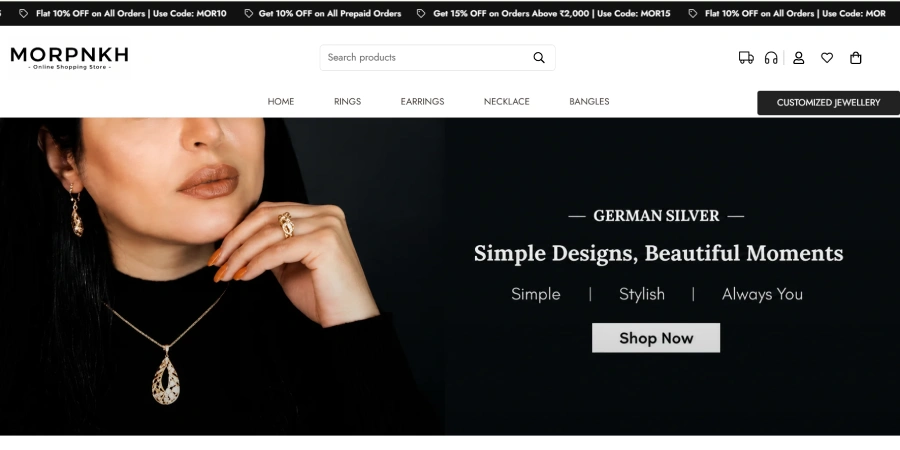
The Challenge: A luxury jewelry store featured high-res product photos alongside 16 active apps for upsells, currency switching, reviews, and dynamic badges, resulting in a severe Shopify slow store alert on mobile devices.
The Fix: We consolidated functionality by replacing three third-party apps with lightweight custom Liquid snippets, audited the remaining JavaScript execution sequence, and optimized custom fonts.
The Result: The store passed all Core Web Vitals checks on both mobile and desktop, achieving a clean 90+ score on PageSpeed Insights without disabling essential sales features.
6. Actionable Takeaways & Next Steps
Improving your store speed is one of the highest-ROI investments you can make for your eCommerce store in 2026. Fast stores rank better on search engines, offer superior user experiences, and convert paid traffic far more effectively.
To start improving your performance today:
- Run your primary product and collection templates through a Shopify speed test like Google PageSpeed Insights.
- Identify high-impact bottlenecks across LCP, INP, and third-party script payload.
- Clean up unused apps and unneeded JavaScript files.
- Work directly with a developer if you need deep theme optimization, custom Liquid cleanup, or custom code solutions.
Need expert assistance? At Theman Freelance, you work directly with Hemant—an experienced developer with 7+ years of experience and 150+ completed web projects. No account managers, no middle-tier miscommunications—just direct, developer-led solutions tailored to your business goals. Reach out today for a dedicated Shopify speed optimization audit.