





Selecting the right digital foundation for your online presence is one of the most consequential decisions you will make for your business. Over the past 7+ years operating as an independent web development consultant, having delivered more than 150 successful client projects, I have observed how platform misalignment can stall growth, balloon operational expenses, or create restrictive technical debt. The debate around WordPress vs Shopify vs WooCommerce is not simply about comparing software features; it is about matching software architecture with your operational workflows, long-term financial expectations, and strategic goals.
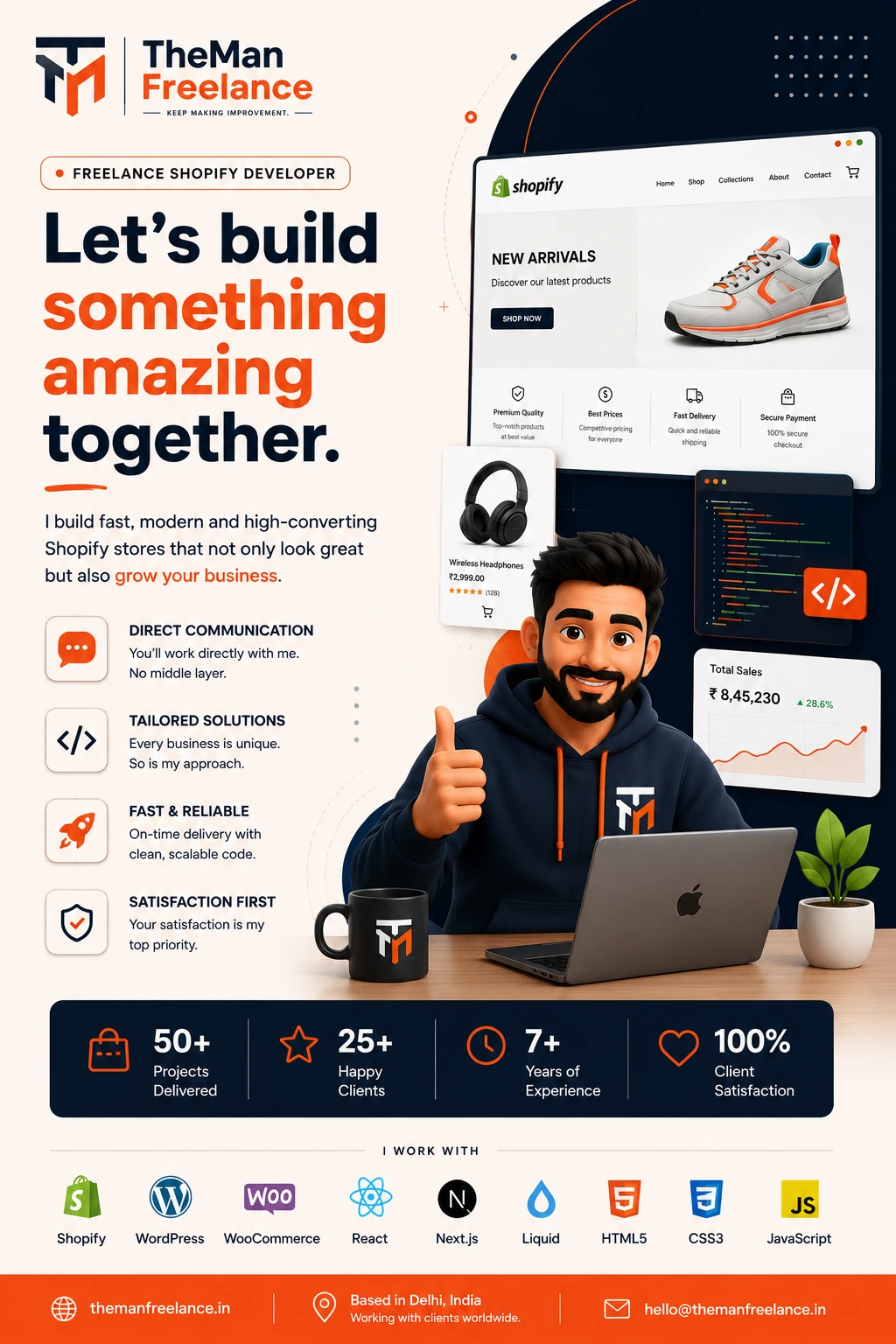
I am Hemant, founder of Theman Freelance. My work spans custom WordPress development, tailored WooCommerce development, API integrations, Shopify setups, speed optimizations, and migrations. Because I work directly with clients on every build rather than handing off tasks to junior teams, I see the real-world performance, maintenance demands, and hidden costs of each platform. Whether you are launching your first online shop or planning a migration for an established brand, this guide provides an objective, field-tested breakdown to help you pick the best platform for your online store.
Understanding the Core Challenges of Platform Selection
Choosing a web platform requires balancing initial startup ease against long-term operational autonomy. Different business models face distinct challenges when selecting software:
- Startups and Small Businesses: Often operating with limited capital and technical resources, startups need a fast path to market without getting trapped in high monthly overheads or overly rigid ecosystems. Finding the best eCommerce platform for small business growth requires balancing upfront setup cost with future scalability.
- D2C (Direct-to-Consumer) Brands: High-growth consumer brands rely heavily on brand identity, custom landing pages, tailored checkout flows, and aggressive conversion optimization. Deciding between WooCommerce or Shopify for D2C comes down to whether you prioritize instant SaaS infrastructure or complete control over your customer journey and data. If WooCommerce is the direction you are considering, you can also explore my WooCommerce development services for custom stores, integrations and checkout functionality.
- B2B and Enterprise Businesses: Business-to-business models require complex functionality such as customer-specific wholesale pricing, bulk ordering forms, gated user roles, custom invoicing workflows, and custom ERP integration. Standard consumer platforms often require heavy custom coding or high-tier enterprise subscriptions to achieve this.
- Content-Driven Businesses Planning a New Site: Companies that rely on content marketing, organic SEO, editorial content, and lead generation alongside selling products face a choice between a WordPress website vs Shopify. Merging content and commerce requires a platform that excels at both without forcing structural compromises. If content, SEO and lead generation are central to the business, a custom WordPress website can provide considerably more control over the content and technical structure.
Service Guarantees & Key Highlights
Custom Shopify Store Development
Build a custom Shopify store tailored to your products, brand identity, customer journey and eCommerce requirements. If Shopify is the right fit for your business, my freelance Shopify development service covers custom storefronts, theme work, integrations and performance improvements.
Shopify Theme Customization
Customize your Shopify theme with improved layouts, branded components and functionality designed around your store.
Shopify Liquid Development
Develop custom Shopify Liquid templates, sections and components for functionality beyond standard theme settings.
Shopify 2.0 Development
Build flexible Shopify Online Store 2.0 experiences using sections, templates and dynamic content for easier store management.
Shopify Store Redesign
Modernize an outdated Shopify store with improved visual design, navigation, mobile experience and conversion-focused UX.
Custom Sections & Blocks
Create reusable Shopify sections and blocks that give your team greater control over homepage, landing pages and product content.
Shopify Metafields & Metaobjects
Use Shopify metafields and metaobjects to create structured, dynamic product, collection and brand content.
Product Page Optimization
Improve Shopify product pages with better product information, media, variants, trust elements and conversion-focused layouts.
Collection & Navigation Optimization
Improve collections, menus, filters and product discovery so customers can find relevant products faster.
Shopify App & API Integrations
Connect Shopify with apps, external platforms and APIs to automate workflows and extend your store's functionality.
Custom Shopify Functionality
Develop custom Shopify features when existing themes or apps cannot provide the exact functionality your business needs.
Mobile-First Responsive Design
Create responsive Shopify storefronts that deliver a consistent and easy shopping experience across mobile, tablet and desktop.
Shopify SEO Optimization
Improve Shopify technical SEO, site structure, metadata, internal linking and product visibility for organic search.
Store Speed & Performance Optimization
Improve Shopify store performance by optimizing theme code, images, scripts and third-party app impact.
Conversion-Focused eCommerce UX
Improve the shopping journey through better product discovery, page layouts, trust signals and friction-free customer experiences.
Shopify Migration & Setup
Move your eCommerce business to Shopify with structured store setup, product migration and essential configuration.
Shopify Maintenance & Technical Support
Keep your Shopify store reliable with ongoing updates, troubleshooting, improvements and technical development support.
Architectural Overview: WordPress, WooCommerce, and Shopify
To evaluate these technologies accurately, we must first understand how they differ in underlying infrastructure, governance, and hosting models.
1. WordPress (The Core CMS)
WordPress is an open-source Content Management System (CMS) that powers over 40% of the web. In its native form, WordPress is designed for content creation, search engine optimization, and custom web publishing. It is self-hosted, meaning you choose your server environment, retain full ownership of your site data, and can modify every line of source code. By itself, WordPress does not process transactions, but it acts as the underlying engine for WooCommerce.
2. WooCommerce (The Open-Source eCommerce Engine)
WooCommerce is an open-source eCommerce plugin built specifically for WordPress. It transforms a standard WordPress site into a fully functional online shop. Because it operates within WordPress, WooCommerce combines enterprise-grade content management with flexible online selling capabilities. You maintain full ownership of your site, data, and user experience without paying transaction commissions to the platform provider.
3. Shopify (The All-in-One SaaS Platform)
Shopify is a fully hosted Software-as-a-Service (SaaS) platform built exclusively for commerce. It handles hosting, server security, payment compliance, and infrastructure maintenance in exchange for a recurring monthly subscription fee plus transaction rates. While it offers fast deployment and low initial maintenance effort, you operate within a proprietary ecosystem where customization is bounded by Shopify’s APIs, Liquid template engine, and app store policies.
Comprehensive Platform Comparison
Let us compare WordPress eCommerce vs Shopify across the core operational metrics that matter to business owners and technical managers.
1. Cost Structure & Total Ownership (Shopify vs WooCommerce Cost)
Evaluating the true cost of an online platform requires looking beyond the advertised starting rates to assess recurring long-term expenses.
- Shopify: Uses a structured subscription model (Basic, Shopify, and Advanced plans) starting around $39/month and going up to hundreds or thousands per month for enterprise tiers. However, the subscription is only part of the calculation. Essential operational features—such as advanced product filtering, custom subscription flows, currency switching, or multi-language support—often require paid third-party apps with monthly subscription fees. Additionally, using payment gateways other than Shopify Payments incurs extra platform fees ranging from 0.5% to 2.0% per transaction.
- WooCommerce & WordPress: The core software is free and open-source. Your baseline expenses include web hosting, domain registration, and any premium plugins or themes you select. While initial development or specialized custom coding requires an investment, your ongoing software overhead remains fixed. You are not charged per-transaction platform penalties, and paid plugins are typically acquired through annual licenses rather than compounding monthly app fees. For growing businesses processing medium to high transaction volumes, the long-term Shopify vs WooCommerce cost dynamic often favors WooCommerce.
Platform costs are only one part of the overall investment. If you are planning custom WordPress work, see my guide on how much it costs to hire a WordPress developer in India.
2. Customization Flexibility & Design Control
Your platform must adapt to your business processes rather than forcing your business processes to adapt to platform limitations.
- WordPress & WooCommerce: Offer unlimited design and architectural freedom. As an open-source system, every aspect of the codebase, user portal, checkout experience, and backend database can be customized. If your business model requires custom pricing engines, bespoke customer accounts, or specialized booking systems, WooCommerce provides unconstrained flexibility. For businesses that need this level of flexibility, my Custom WooCommerce development work covers product experiences, checkout customization, integrations and store functionality.
- Shopify: Provides refined, professional, conversion-focused templates out of the box. Editing layouts is intuitive using the theme editor. However, deep customization of the checkout experience and specialized database structures are limited unless you are on high-tier plans or building custom headless applications using Shopify’s APIs.
3. SEO Capabilities & Site Performance
Search engine visibility and page load speeds directly impact customer acquisition costs and conversion rates.
- WordPress & WooCommerce: Renowned for advanced SEO management. You have direct control over URL structures, canonical tags, schema markup, robot text files, XML sitemaps, and server-level caching. With clean custom code and proper hosting optimization, a WooCommerce site can achieve high performance scores and top organic visibility.
- Shopify: Handles basic SEO well, including title tags, meta descriptions, and clean structure out of the box. However, its URL routing system enforces rigid subdirectories (such as
/products/and/collections/) that cannot be altered. While server performance is generally fast and reliable worldwide, heavy reliance on third-party JavaScript apps can slow down mobile loading speed.
4. Security, Maintenance, and Management
Operational maintenance requirements differ substantially between self-hosted systems and hosted platforms.
- Shopify: Operates as a closed garden. Shopify manages server security, PCI compliance, core software updates, and server uptime. This zero-maintenance infrastructure makes it appealing for teams without technical staff.
- WooCommerce & WordPress: Requires proactive server maintenance, regular software updates, plugin compatibility monitoring, and proper security configurations (such as firewalls, SSL, and automated off-site backups). Working with an experienced technical specialist ensures your site remains secure, fast, and fully backed up. For businesses that don’t want to handle updates, compatibility issues and ongoing technical work themselves, WordPress maintenance can provide ongoing technical support.
Head-to-Head Evaluation Matrix
| Evaluation Metric | WordPress (Solo / Content) | WooCommerce (WordPress) | Shopify (SaaS) |
|---|---|---|---|
| Primary Focus | Content & Lead Gen | Content + eCommerce | Pure eCommerce |
| Hosting Model | Self-Hosted | Self-Hosted | Fully Hosted (SaaS) |
| Customization Level | 100% Unlimited | 100% Unlimited | Moderate / API Bounded |
| Transaction Fees | 0% (Gateway fees apply) | 0% (Gateway fees apply) | 0.5% – 2.0% (If not Shopify Payments) |
| SEO Flexibility | Complete Control | Complete Control | Standard (Fixed URL structures) |
| Maintenance Load | User / Developer Managed | User / Developer Managed | Fully Managed by SaaS |
| Best For | Publishing, Service Brands | D2C, Custom B2B, Content+Store | Turnkey Retail, Fast Launch |
Real-World Case Examples & Field Insights
Drawing from over 150 client builds delivered at Theman Freelance, here are two practical examples illustrating how platform architecture impacts real business outcomes.
Case Study 1: D2C Supplement Brand Migration to WooCommerce
A fast-growing direct-to-consumer supplement company was initially running on Shopify. As their product lines expanded, their monthly app costs climbed past $850 per month for basic custom subscriptions, dynamic bundle builder tools, and multi-currency displays. Additionally, their transaction fees were rising with their sales volume.
We rebuilt their storefront on a performance-tuned WordPress and WooCommerce architecture. By developing custom custom functionality directly into the theme and replacing third-party app subscriptions with owned software licenses, the brand eliminated monthly app charges and avoided third-party transaction fees. Page load times improved by 35% through tailored server-level caching, and organic landing page traffic grew significantly over the next six months due to flexible content-publishing options.
Case Study 2: B2B Industrial Supplier Custom Portal
An industrial parts manufacturer needed an online portal featuring tiered pricing per wholesale customer tier, real-time sync with an internal inventory database, custom quote request forms, and purchase-order credit terms. Shopify’s standard plans could not accommodate their non-standard checkout logic without requiring enterprise-level pricing and extensive custom API microservices.
Using WordPress and WooCommerce as an open foundation, we built a custom B2B portal integrated directly with their legacy inventory system via custom REST APIs. The solution delivered their exact business logic, automated order entry, and reduced manual customer service processing time by over 15 hours per week.
When to Choose Which Platform: Decision Checklist
To finalize your decision between Shopify vs WooCommerce or a standard WordPress website vs Shopify, use this strategic checklist based on your business profile:
Choose Shopify If:
- You need to launch a standard retail store quickly with minimal technical setup.
- You do not have a dedicated developer or technical team to manage server updates and maintenance.
- Your business model relies on standard retail checkout flows without complex custom backend logic.
- You prefer a predictable monthly bill for hosting and core support, and do not mind paying extra app fees or platform transaction charges.
Choose WooCommerce (WordPress) If:
- You are building a D2C brand that requires complete control over branding, customer journeys, data, and custom checkout flows.
- You run a B2B or hybrid business requiring custom pricing tiers, account rules, quote requests, or complex software integrations.
- You rely heavily on content marketing, blogging, custom SEO layouts, and organic search to drive sales.
- You want full ownership of your site, database, and source code, eliminating recurring software lock-in and platform transaction fees.
Choose Custom WordPress (Without Commerce) If:
- Your business model focuses entirely on service offerings, corporate branding, lead generation, or publication without direct shopping cart processing.
Actionable Next Steps for Your Business
Choosing the right platform comes down to matching technology with your business goals, operational resources, and technical requirements. There is no one-size-fits-all platform—only the platform that best serves your specific workflow and growth strategy. The platform is only one part of the decision. You also need to choose the right development partner, so I have compared the practical differences between a freelance WordPress developer and a WordPress agency.
If you are still deciding who should handle the technical work, my guide on things to check before hiring a WordPress developer can help you evaluate experience, communication and technical capability before starting a project. At Theman Freelance, I work directly with you through every phase of planning, custom design, development, and launch. Reach out today to discuss your project requirements and select the right platform architecture for your long-term success.